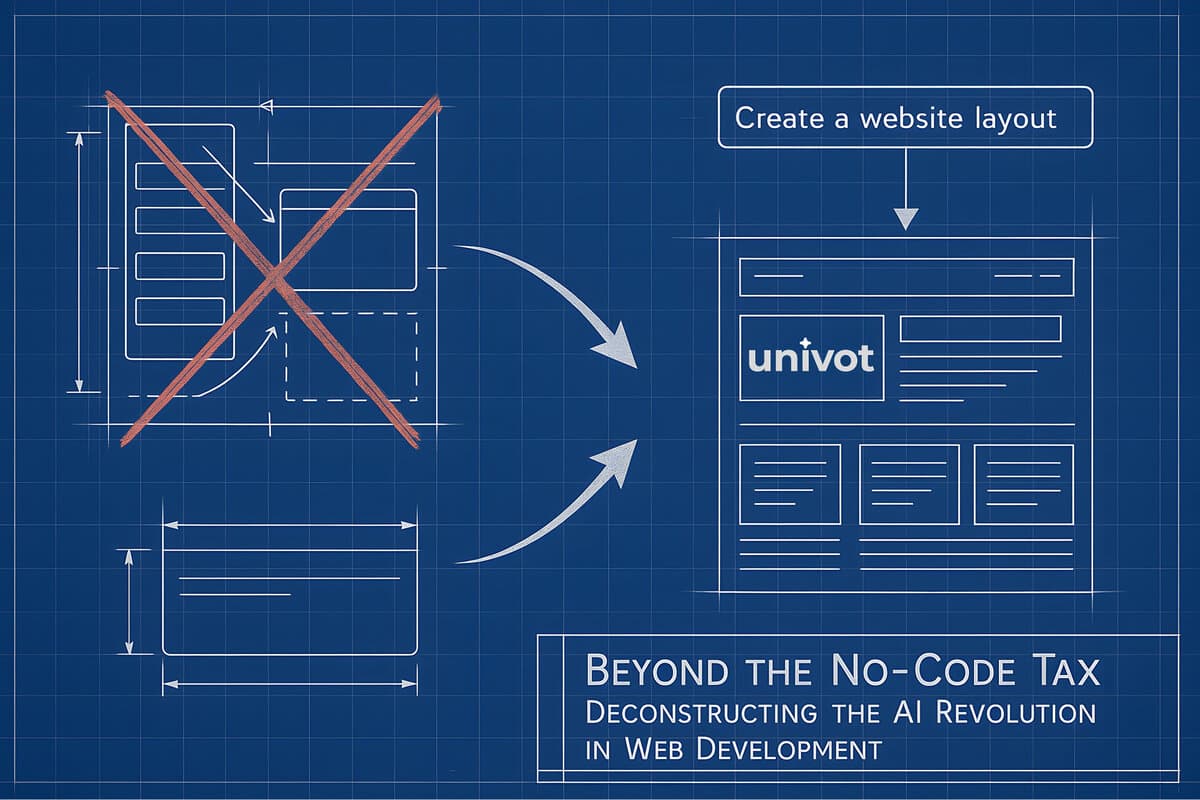
Here's the biggest lie in web development: AI coding tools are for developers. The truth? They're actually better for non-developers. If you're a designer, marketer, or founder, AI tools speak your language better than any developer platform ever could.
We're watching a massive shift happen. We're moving from the "drag and drop" era to the "just tell AI what you want" era. From clicking through interfaces to having conversations. From renting your work to owning it completely.
Webflow represents the pinnacle of that drag-and-drop era. It made web design accessible to non-coders and that was genuinely revolutionary. But now their business model is creating problems. Subscription costs keep climbing. Features get removed. You don't own your work. Meanwhile, AI has gotten good enough to offer something better.
This article breaks down what's happening. We'll look at the real costs of Webflow (spoiler: it's more than you think). We'll examine why Webflow is still powerful for certain projects. We'll explain Context Engineering, the skill that makes AI development work for non-technical teams. And we'll show you what the future looks like: not one tool winning, but both approaches merging into something new.
The Real Cost of Webflow
Death by a Thousand Subscriptions
Webflow's pricing looks simple at first. A basic site costs $14 to $18 per month. Need a blog or CMS? That's $23-$29 per month. Want to remove Webflow's branding? You'll need the Business plan at $39-$49 per month.
But that's just the start. The official Webflow add-ons they don't advertise up front pile on fast.
- •Optimize (A/B testing, personalization): $299/month based on page views
- •Analyze (site analytics): Starting at $9/month based on sessions
- •Localization Essential (multi-language): $9/month per locale
- •Localization Advanced: $29/month per locale
- •Custom templates: $49-$149 each
- •Extra bandwidth: Can add over $500/month to go from 100 GB to 1 TB
Real example: You need a multi-language site with A/B testing and analytics. That's $299 (Optimize) + $9 (Analyze) + $9 per language (Localization) = $317+/month in add-ons alone, on top of your base plan.
It's death by a thousand subscriptions. Agencies managing multiple client sites are constantly doing math on every feature. Should we pay for this? Can we work around it? The mental overhead alone is exhausting. You're not just paying money, you're paying in attention and complexity.
The 2024 Trust Breach: Bandwidth Cuts and Ultimatums
In July 2024, Webflow made changes that broke trust with their users. They slashed bandwidth limits dramatically:
- •Basic plans: Cut 80% (from 50 GB to 10 GB)
- •CMS plans: Cut 75% (from 200 GB to 50 GB)
- •Business plans: Same 75% reduction
- •One month to adapt, then forced upgrades if you go over twice
At the same time, some users got emails demanding they upgrade to "Enterprise Lite" for $15,000 per year. The deadline? One week. Migrate your sites or pay up.
Users reported feeling trapped. Sales reps wouldn't explain the pricing. Different customers got wildly different quotes, some as high as $60,000 per year. The whole thing felt arbitrary and aggressive.
Platform Risk: When Your Features Get Deprecated
In late 2024, Webflow announced they're killing native features people rely on:
- •Webflow Logic: Shutting down mid-2025
- •User Accounts: Gone by January 2026
Their solution? Pay third-party apps like Memberstack instead. Features that used to be included now cost an extra $350 per year.
Users were furious. On Webflow's forums, they called it a "betrayal" and a "massive downgrade." The pattern is clear: Webflow launches features to attract users, doesn't invest in making them great, then removes them when adoption is low. Meanwhile, users who built workflows around these features are stuck.
This is the real risk of platform lock-in. The ground can shift under your feet at any time. They can change prices, cut features, or force you onto expensive plans. You don't own your work, so you don't control your destiny.
Why Webflow Is Still Powerful
Let's be fair. Webflow didn't become popular by accident. It solved a real problem. For years, designers and marketers were stuck between clunky CMSs like WordPress and expensive custom development. Webflow offered a third option: visual design with professional-grade output.
Pixel-Perfect Visual Design AI Can't Replicate
Webflow's visual designer gives you pixel-perfect control. You design in a canvas that looks like Figma, and it generates clean HTML, CSS, and JavaScript in real-time. For designers, this is magic. You're designing exactly what you want to see.
The responsive design tools are especially good. You get separate canvases for desktop, tablet, and mobile. You can fine-tune every breakpoint. The interactions engine lets you create scroll effects, hover states, and complex animations without plugins. This level of visual precision is hard for AI tools to match right now.
A Content Management System Built for Non-Coders
Webflow's CMS is genuinely good. Marketing teams can update content, swap images, write blog posts, and manage data without touching code. The Webflow Editor gives clients a simple interface to make changes while keeping the design locked down.
You can create custom fields for structured content like blogs, portfolios, case studies, and team directories. It all works smoothly. This is where AI code generators often fall short. They're great at creating the initial site, but managing ongoing content? That's where a mature CMS like Webflow's shines.
The Network Effect: Agencies, Training, and Support
Webflow has built a massive network of agencies, freelancers, and experts. Need help? There's a global talent pool ready. Webflow University offers comprehensive training. The community is mature and active.
Plus, hosting is built in. It runs on AWS, includes free SSL certificates, and handles all the infrastructure headaches. You don't think about servers or deployment. You just build and publish. For many teams, this convenience is worth a lot.
How Webflow Is Fighting Back With AI
Webflow isn't ignoring AI. They're building it into the platform. Their bet: AI should augment the visual designer, not replace it. They're adding:
- •AI site builder (beta) to generate starting points
- •AI content assistance for headlines and CTAs
- •AI-driven SEO optimization
The strategy is smart. The AI creates a starting point like a homepage structure, color palette, and typography system. Then you use Webflow's visual tools to refine it. Their AI understands your existing design system, CMS structure, and content. It's more contextual than a generic AI tool.
Webflow is building a defensive moat. The deeper you're invested in their platform, the more valuable their AI becomes. An external AI might give you generic code, but Webflow's AI knows your whole project. It's a compelling reason to stay.
Why AI Development Works Better for Non-Developers
The AI approach flips the script. Instead of clicking through interfaces, you have a conversation. Instead of learning someone else's tool, you use the language you already know.
Context Engineering: The Secret That Makes AI Powerful
Forget "prompt engineering." That's about writing clever one-off commands. The real breakthrough is Context Engineering: giving AI deep knowledge about your business and brand before you even start working. It's "filling the AI's memory with the right information" so every conversation is smarter.
Context includes way more than your immediate request:
- •Your brand guidelines and design system
- •Target audience and customer personas
- •Business model and competitive positioning
- •Conversation history from past projects
- •Available tools and integrations
At Univot, we pre-load all of this for every client. The research backs this up: it's a formal discipline with proven results.
Think of it like onboarding a new team member. You don't just give them tasks. You teach them about your company, your customers, your goals. Context Engineering does the same for AI. Instead of a tool that responds to commands, you get a collaborator that understands your business. It knows your brand voice, your audience, your strategy.
Your Domain Expertise Is Your Superpower
Here's the twist: your domain expertise is now more valuable than technical skills. Designers, marketers, and founders excel with AI because they already speak the right language. Your professional vocabulary becomes the interface.
Designers can say "hero section with overlapping images" or "card grid with hover states" or "sticky navigation with glass morphism." AI gets it.
Marketers can say "Create a landing page that builds trust through social proof then drives urgency with limited-time pricing." That's a perfect instruction that captures years of conversion optimization knowledge.
In Webflow, you'd break these ideas down into dozens of clicks and settings. With AI, you just say what you want. The abstraction stays intact. Your vision translates directly into reality.
45 Minutes to 2 Minutes: The Economics of AI Development
AI changes the economics completely. You move faster, pay less, and own everything.
Here's a real example: Building a testimonial section in Webflow takes 45+ minutes. You browse components, drag elements, style everything, connect to CMS, map fields, test responsive breakpoints. It's tedious.
With AI? "Create a testimonial carousel with client photos, company logos, and star ratings. Use our brand colors and make it feel premium with subtle animations." Done in 2 minutes. Want changes? "Make the photos larger and add a subtle parallax effect." That's another 30 seconds.
One design agency went from paying $500/month for five Webflow sites to $20/month total for hosting. They build sites 5x faster now. But the biggest win isn't speed or cost, it's ownership. You own the code, the designs, the intellectual property. No platform can change the rules on you.
The Competitive Landscape and Hybrid Future
This isn't just Webflow vs AI. The market is evolving fast, with different tools for different needs. The future isn't one tool winning. It's both approaches merging together.
Visual No-Code Platforms
Traditional no-code platforms use drag-and-drop interfaces:
- •Webflow: Design-focused, great for marketing sites
- •Framer: Rapid prototyping and landing pages
- •Bubble: Complex web apps with databases
AI Development Tools
Modern AI coding assistants let you build through conversation and natural language:
- •Cursor: Leading AI code editor, best for code quality and deployment
- •Windsurf: Multi-step agentic coding with "Cascade" feature
- •Claude Code: Excellent for rapid prototypes and reading large codebases
- •GitHub Copilot: Industry-standard code completion powered by GPT-4
- •OpenAI Codex: GPT-powered code generation and understanding
- •Vercel v0: AI component generator for React/Next.js interfaces
AI-Assisted Design Tools
These bridge the gap between design and development:
- •Relume: AI wireframing that exports to Webflow/Figma
- •Wix ADI: Template-based AI for quick starts
- •Hostinger AI: AI website builder with templates
Why Both Approaches Will Merge, Not Compete
AI will enhance no-code platforms, not replace them. Gartner predicts that by 2025, 70% of new applications will use low-code or no-code tools, with AI making them even more powerful.
The role of professionals is shifting. AI handles routine coding. Humans focus on architecture, security, strategy. The most valuable skills become creative problem-solving, UX design, and strategic thinking.
Decision Framework: Matching Tools to Project Goals
Don't be loyal to platforms. Choose based on your project's specific needs.
For Agencies & Designers:
- •Learn both approaches: Webflow for pixel-perfect design work, AI for speed and ownership
- •The valuable skill isn't mastering interfaces. It's translating goals into instructions, whether through clicks or conversation
For Founders & Marketers:
- •Validating an MVP fast and cheap? AI-first approach wins
- •Content-heavy site with daily updates by non-technical team? Webflow's CMS might be better
- •Long-term ownership and avoiding platform risk matter most? Choose code ownership
- •Rethink your budget: Stop spending on subscriptions, invest in context setup instead
Context Engineering in Practice
What does Context Engineering actually look like when you use it to build something? Here's how the workflow differs from traditional development or no-code platforms.
The Foundation: Loading Context - First, the AI gets loaded with comprehensive business knowledge: brand guidelines, design system, target audience, business model, competitive positioning, and value propositions. This isn't a one-time prompt. It's a persistent knowledge base the AI references for every decision.
The Work: Conversational Development - Instead of clicking through interfaces or writing code from scratch, you describe what you need in your professional language. Designers use design vocabulary. Marketers speak in conversion frameworks. Founders talk business strategy. The AI translates all of it into working code because it understands your context.
The Advantage: Compound Learning - Each project improves the context. The AI learns your preferences, patterns, and priorities. The fifth project is faster than the first because the AI knows more about how you work and what you value. Plus, you own everything: code, designs, and IP. No platform can change the rules on you.
Real Example: A marketing team needed a landing page with A/B testing capabilities. In Webflow, this requires paying $500/month for tools like Optimizely or building complex workarounds. With Context Engineering, they described their test variants in plain English. The result: both versions delivered with analytics built in, completed in 3 hours with no ongoing subscription costs. They now test 10x more ideas because there's no per-test fee or setup friction.
Conclusion
The Webflow Tax is real. The 2024 bandwidth cuts, the $15k-$60k Enterprise ultimatums, and the feature deprecations all show a platform prioritizing revenue over users. This creates the perfect opening for AI-powered development to disrupt the market.
Context Engineering changes everything. It's not about clever prompts. It's about giving AI deep knowledge of your business so it becomes a true collaborator, not just a tool. This reduces costs, speeds up work, and most importantly, gives you ownership.
But the future isn't one approach beating the other. The winners will be "bilingual," fluent in both visual design and AI conversation. Some projects need Webflow's visual precision and mature CMS. Others need AI's speed and ownership. The smart move is knowing which tool fits which project.
The future isn't about choosing a platform. It's about choosing your workflow based on your goals.
The barrier isn't technical skill. It's mindset. Designers already speak design language. Marketers already understand conversion. Founders already know business strategy. When you channel this expertise through Context Engineering, it becomes the most powerful interface for building with AI.
Work with Univot
Ready to try Context Engineering? Here's how we help non-technical teams transition to AI development:
- 1.Free Consultation - See how AI can accelerate your workflow. We'll show you what's possible with Context Engineering.
- 2.Context Setup - We configure AI to understand your brand, strategy, design system, and audience.
- 3.Guided Transition - Move at your pace with expert support. We translate your expertise into AI instructions.
- 4.Ongoing Partnership - Available whenever you need help or want to tackle bigger projects.
- 5.Complete Ownership - Everything is 100% yours. No platform lock-in. No recurring fees.
The best designers and marketers aren't learning to code. They're learning to direct AI with the expertise they already have. Your professional language (design patterns, conversion frameworks, business strategy) becomes the interface. Your domain knowledge becomes the context.
Welcome to the future: where your creativity and expertise, not technical skills or platform constraints, define what's possible.